 Help
What the numbers mean
The dashboard changes with your company type and role. Carrier admins see company applicant totals, unassigned applications, applications from the last 24 hours and hired applicants. Recruiting admins see linked-company and assignment summaries. Regular users see cards such as My Applicants, Unassigned Applicants, Applications Today and My Hired.
| Control or field | What it does |
|---|---|
| Total Applicants | Applications included in your current application visibility scope; it is a record count, not a guarantee of unique people. |
| My Applicants | Applications whose assigned owner is your staff account. |
| Unassigned Applicants | Visible applications with no assigned owner. |
| Applications (Last 24h) | Applications created during the preceding 24 hours. |
| Hired / My Hired | Applications whose current status is Hired, with My Hired additionally limited to your assignment. |
| Total Companies | For a recruiting admin, the linked carriers counted by their dashboard. |
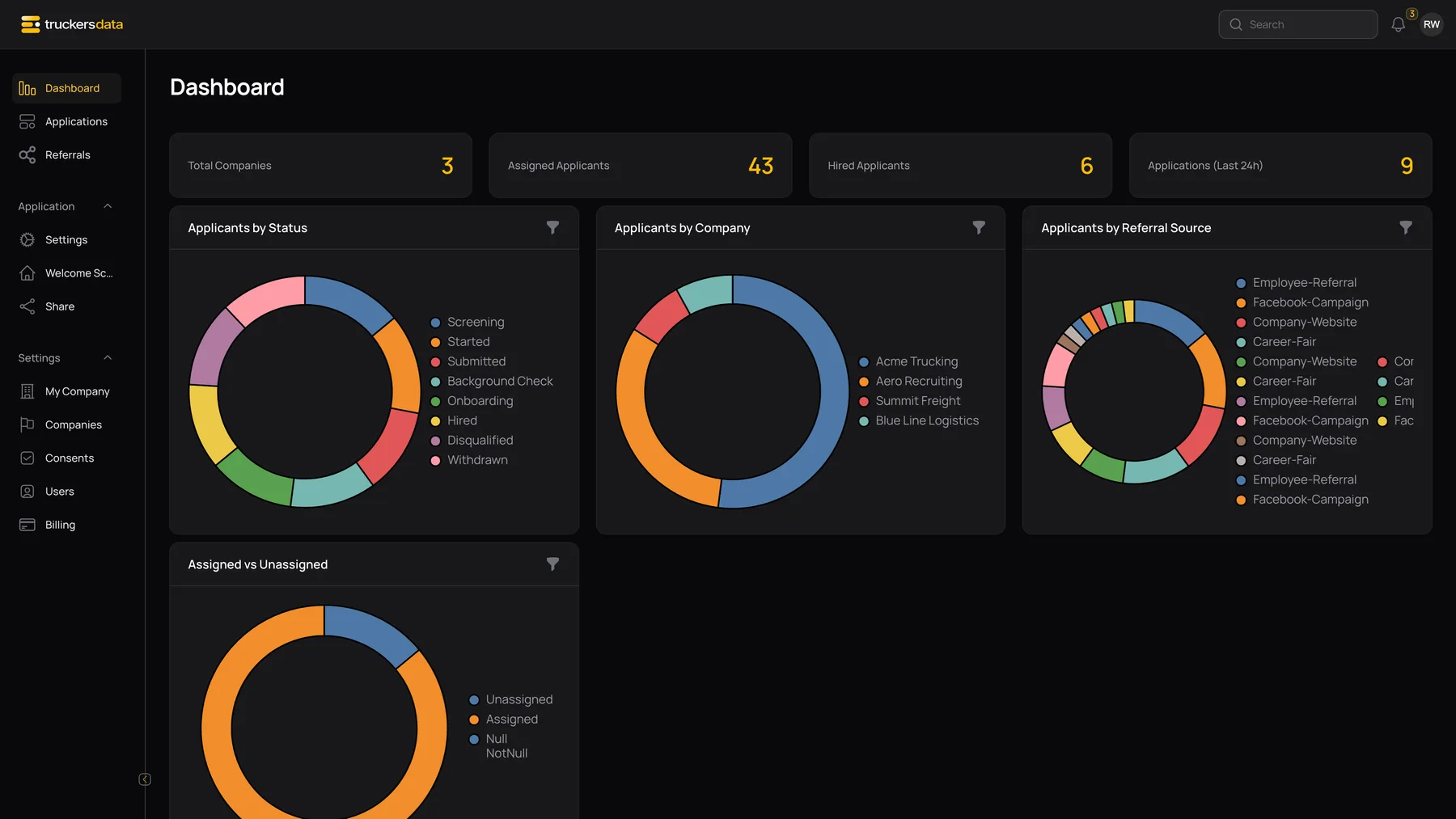
Change a chart’s date range or position
- Open the filter icon on the chart you want to change.
- Choose a Position or leave it on All.
- Use Filters to choose Today, Yesterday, This Week, Last Week, This Month, Last Month, This Year, Last Year, All Time or Custom.
- For Custom, enter a Start Date and End Date. The end cannot be earlier than the start or later than today.
Chart filters update the chart and are remembered for your user account. They do not change application data, assignment, public forms or the status of a driver. Separate charts can have different filters.
Use the dashboard as a starting point
Charts summarize the applications available to you. The dashboard does not continuously poll for every new record. Reopen or refresh the page when you need an updated view after another team member makes changes. Go to Applications to inspect the individual records behind a number.