 Help
Share the company’s application
- Open Application → Share.
- Choose a Form type.
- Copy the Link, use the QR code, or copy the Embed Code into the intended website.
- Test the final link or embedded form as an applicant before publishing it.
| Control or field | What it does |
|---|---|
| QR code | Opens or displays the QR for the selected form URL. Test that a phone scan reaches the intended company. |
| Link / copy icon | Copies the company’s public URL for the currently selected form type. |
| Embed Code / copy icon | Copies an iframe that loads the selected public form. The supplied iframe uses full width and an initial height of 500 pixels; adjust the host page height if needed to avoid a cramped embedded experience. |
| Form type | Changes the Link, QR target and Embed Code. It does not change an application already submitted. |
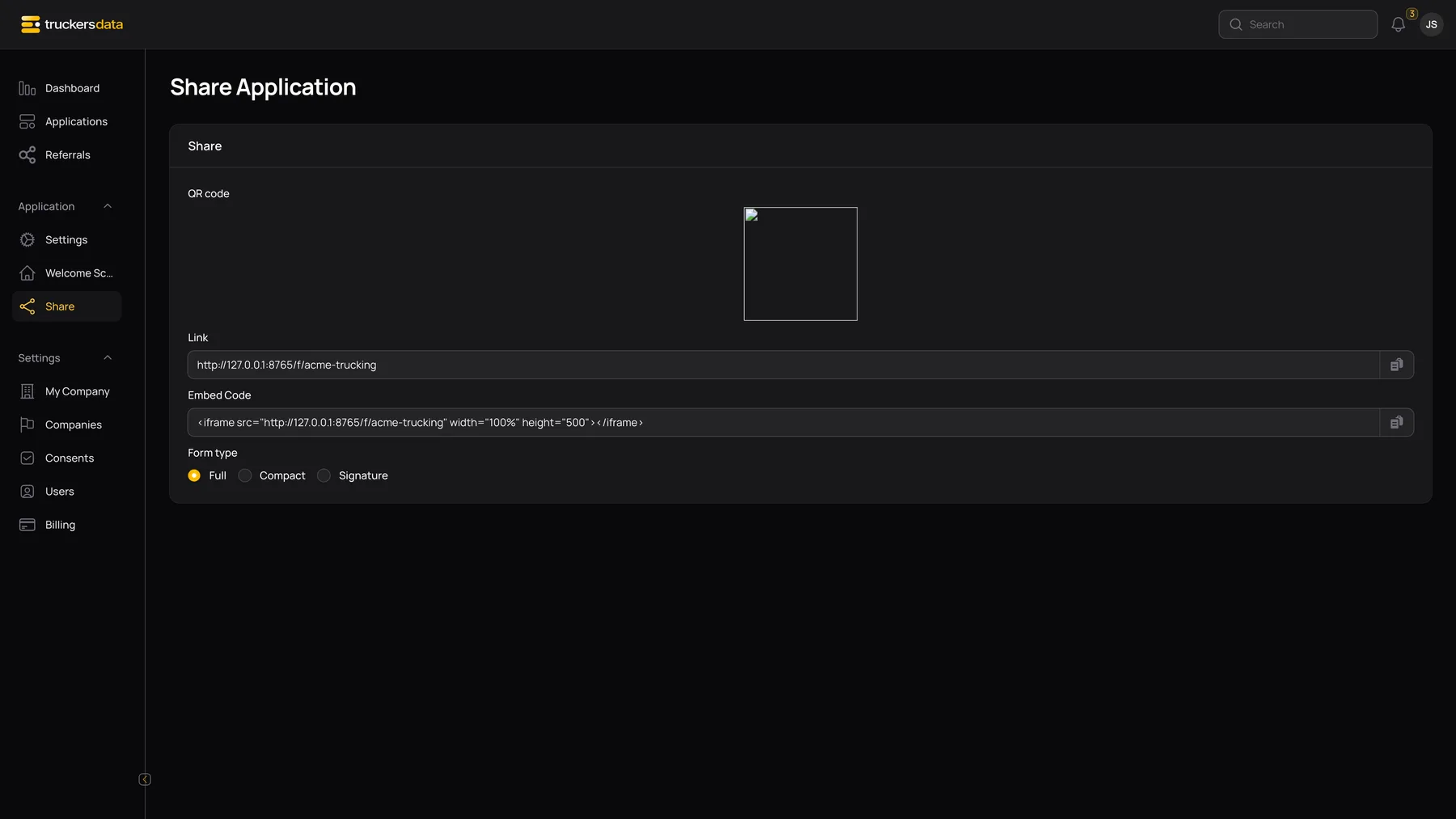
Choose Full, Compact or Signature
| Control or field | What it does |
|---|---|
| Full | The complete identity, eight-step application, review, applicable consents and electronic-signature workflow. |
| Compact | A short intake containing name, address, phone/email, driving-experience category, carrier count and recent accident/violation counts. Submit creates a Submitted application marked Compact; it does not collect the full application’s signed history and consent workflow. |
| Signature | A separate shareable route label. In the current app it opens the same Application page beginning with the normal introduction; choosing this format alone does not bypass the full workflow or guarantee an immediate signature screen. |

What a Compact applicant enters
| Control or field | What it does |
|---|---|
| Personal Information | First Name and Last Name are required. |
| Address | Current Street Address, Country, City and Zip/Postal Code are required; US State/Province is displayed when appropriate. |
| Contact | Required Primary Phone and Email address. |
| Experience | Required driving-experience category, number of carriers in the last three years, accident count in the last 12 months and violation count in the last 12 months. |
| Submit | Creates the compact intake and opens its Thank You confirmation. Submission communications can be triggered. |
A compact record is a lead/intake, not proof that a full signed application and its consent PDFs have been collected. To complete the full workflow, open the application and use its continuation link.
Create an attributed referral link
Open Referrals and select the new-referral action.
| Control or field | What it does |
|---|---|
| Company | Shown to roles that can select companies, including recruiting admins. Choose the company whose public form should receive the applications. |
| Name | The referral’s URL name/slug. Use a stable, recognizable value such as spring-driver-event. |
| Description | The human-readable campaign/source name. The referrals list displays this as Name. |
| Create / Save | Stores the referral. Saving a referral does not send it to applicants; share its URL separately. |
Use a referral for a particular recruiter, event or campaign when you want to recognize applications coming through that link. Keep a campaign’s name stable after distributing it; replacing or deleting a referral can disrupt the link or attribution you expect.

Share and inspect a referral
Open a referral’s View action. The Applications tab shows its attributed applications. The Share tab provides its QR, Link, Embed Code and Full/Compact/Signature selection. Copy from this page to include the referral parameter instead of copying the general company URL.
The referral token is carried by the public link. Check it with a real end-to-end test before relying on campaign totals. The company share page and referral share page are related but not interchangeable.
