Help
Switch between Table and Board
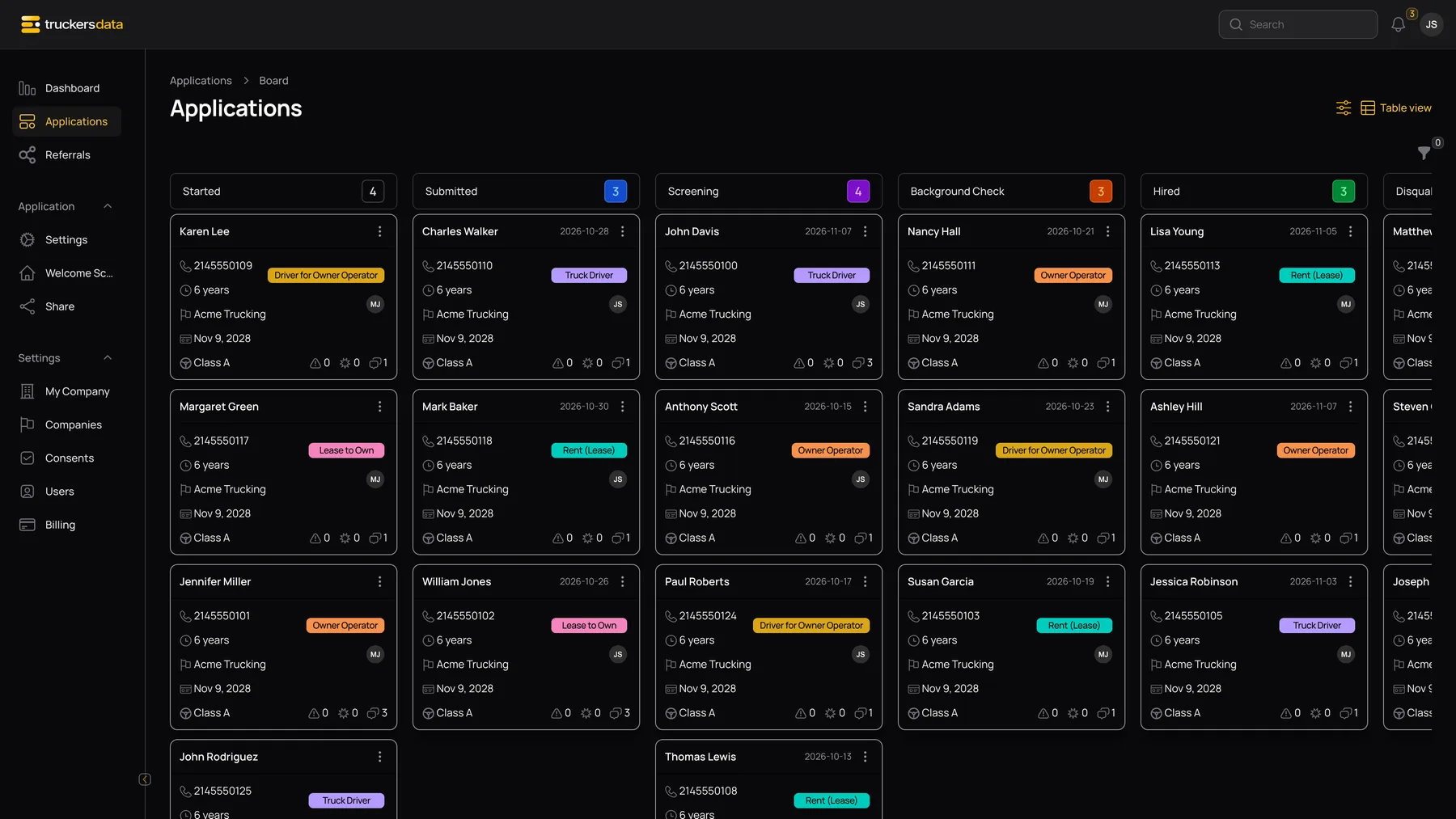
From Applications choose Board view. Each card represents an application, grouped by its current status. Move a card to an available lane to update its stage; card position is also saved. Use Table view to return to rows.
The board currently shows Started, Submitted, Screening, Background Check, Hired, Disqualified and Onboarding lanes. Withdrawn is available in the application status controls but has no dedicated board lane; use the table/status filter to find withdrawn records.
Understand the eight application statuses
| Control or field | What it does |
|---|---|
| Started | A draft has begun. This does not mean the full application is signed. |
| Submitted | The application has been submitted. A compact intake also uses this status, so check Compact and Signed at. |
| Screening | Your team is reviewing the applicant. |
| Background Check | Your team is tracking the background-check phase. |
| Onboarding | Your team is handling onboarding work. |
| Hired | Your team has marked the applicant hired. |
| Disqualified | Your team has marked the application as not proceeding. |
| Withdrawn | The application is marked withdrawn; inspect it in the table rather than expecting a board lane. |
Read and customize a card
| Control or field | What it does |
|---|---|
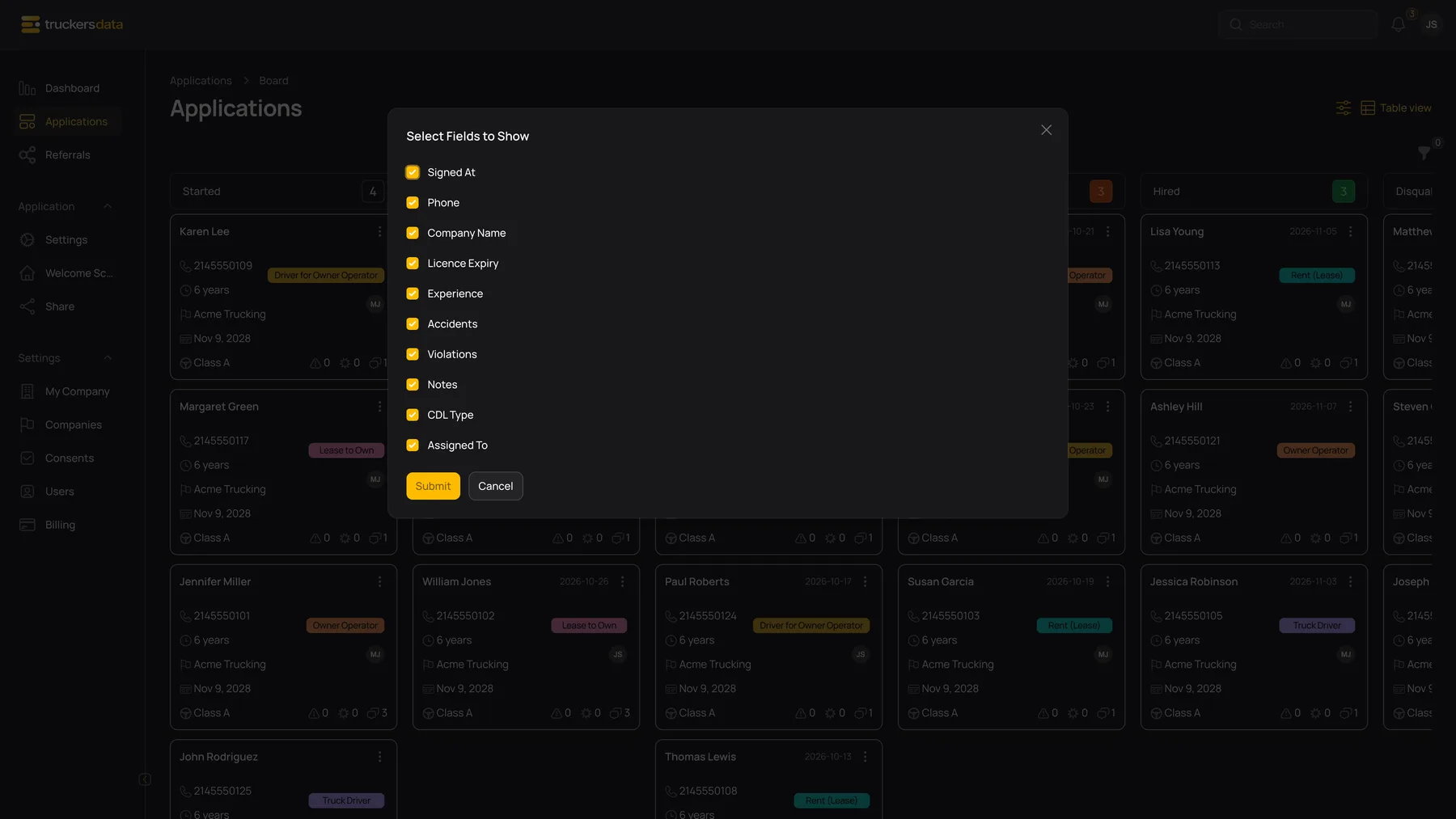
| Show / Hide Fields | Open Select Fields to Show, tick the details you want, then confirm the dialog. Available fields include Signed At, Phone, Company Name, Licence Expiry, Experience, Accidents, Violations, Notes, CDL Type and Assigned To. |
| Applicant / View | Open the available application information view. |
| Edit | Open the application’s full workspace and tabs. |
| Assign to | Choose the owner of the application. |
| Notes indicator | Hover for recent note previews where supported. Open the application for the full note history. |
| Archive / Unarchive / Delete Permanently | Use the permitted record-management actions with the same care as in the table. |
Filter the board
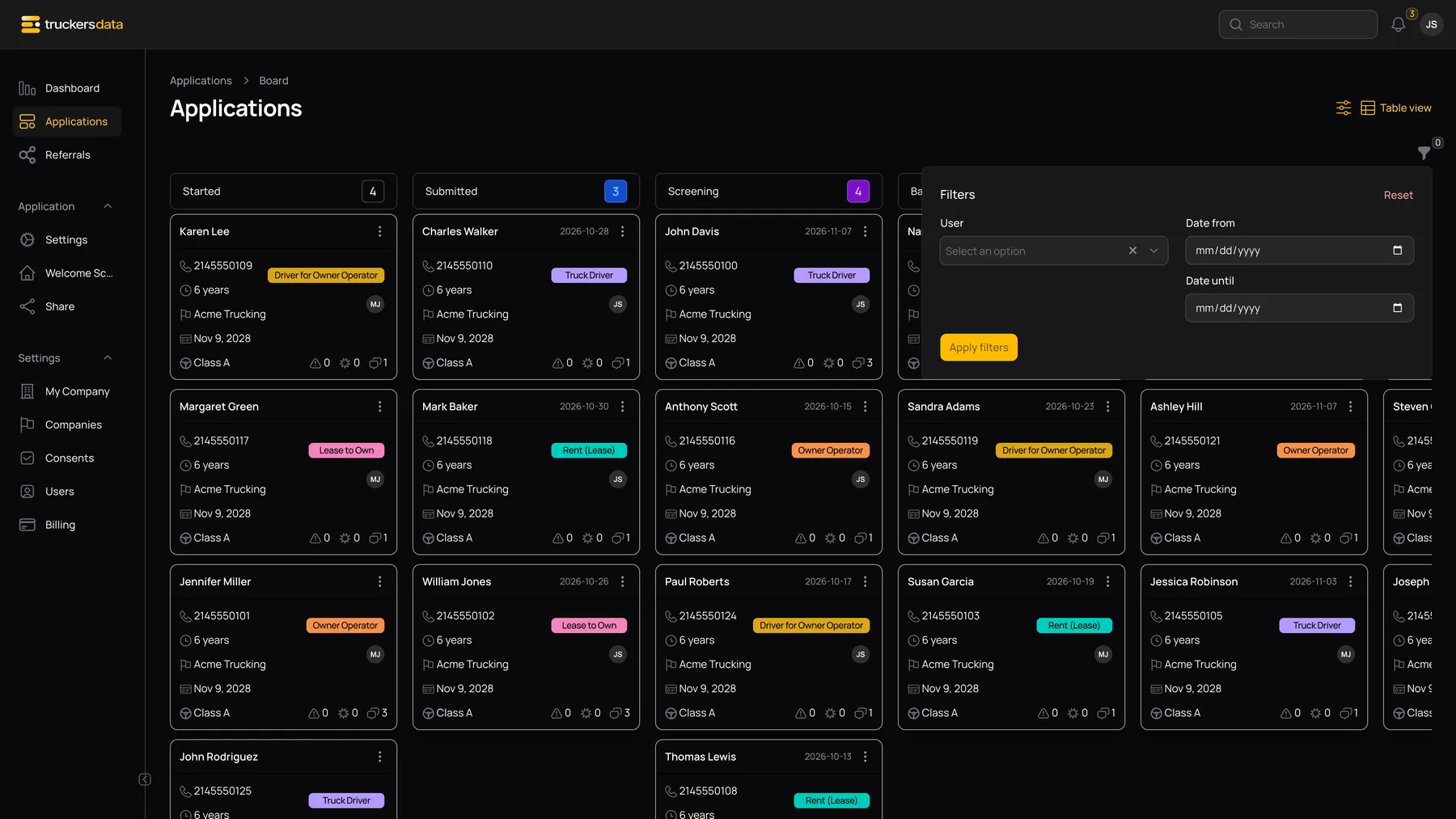
The board filter can select applicants from a searchable tree grouped by recruiter/assignee, and can filter signed applications by Date from and Date until. These dates concern the signature date, not the creation date. A Started draft without a signature may disappear when a signed-date range is active.
If a card cannot be found, check the board filters and then the table’s full stage list. See table filters and archived records.